
What will you learn?
Comics and Storyboarding
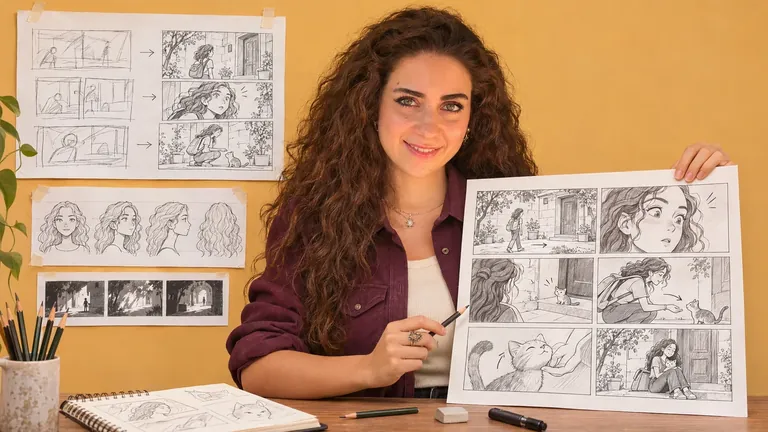
Discover what a storyboard is, why it matters and where it is used. Begin drawing a visual sequence rather than treating each image as an isolated picture.
Explore camera angles and movements, then follow a sequence of scene-drawing demonstrations. Observe continuity, framing and how the drawings communicate the action.
The final exercises colour storyboard panels. You can practise with available traditional drawing tools or compatible digital equipment.
Learning outcomes
- Understand the purpose and uses of storyboards
- Recognise camera angles and movements
- Translate a sequence into drawn scenes
- Develop sketches and clear visual outlines
- Colour and present storyboard panels
Your learning path
Course curriculum
Browse the complete lesson sequence. These are translated lesson titles and descriptions; current video recordings remain in Arabic.
01 · Introduction to storyboarding and drawing4 lessons
- What is a storyboard?13:26
Practical demonstration: What is a storyboard?. Watch the steps, pause to practise and review the result before continuing.
- Why storyboards matter14:16
Practical demonstration: Why storyboards matter. Watch the steps, pause to practise and review the result before continuing.
- Uses of storyboards16:39
Practical demonstration: Uses of storyboards. Watch the steps, pause to practise and review the result before continuing.
- Drawing a storyboard19:08
Practical demonstration: Drawing a storyboard. Watch the steps, pause to practise and review the result before continuing.
02 · Camera angles and movement2 lessons
- Camera angles16:58
Practical demonstration: Camera angles. Watch the steps, pause to practise and review the result before continuing.
- Camera movements21:11
Practical demonstration: Camera movements. Watch the steps, pause to practise and review the result before continuing.
03 · Building sequential scenes11 lessons
- Drawing scenes — Part 119:58
Practical demonstration: Drawing scenes — Part 1. Watch the steps, pause to practise and review the result before continuing.
- Drawing scenes — Part 220:12
Practical demonstration: Drawing scenes — Part 2. Watch the steps, pause to practise and review the result before continuing.
- Drawing scenes — Part 318:27
Practical demonstration: Drawing scenes — Part 3. Watch the steps, pause to practise and review the result before continuing.
- Drawing scenes — Part 416:56
Practical demonstration: Drawing scenes — Part 4. Watch the steps, pause to practise and review the result before continuing.
- Drawing scenes — Part 520:02
Practical demonstration: Drawing scenes — Part 5. Watch the steps, pause to practise and review the result before continuing.
- Drawing scenes — Part 622:06
Practical demonstration: Drawing scenes — Part 6. Watch the steps, pause to practise and review the result before continuing.
- Drawing scenes — Part 716:02
Practical demonstration: Drawing scenes — Part 7. Watch the steps, pause to practise and review the result before continuing.
- Drawing scenes — Part 816:30
Practical demonstration: Drawing scenes — Part 8. Watch the steps, pause to practise and review the result before continuing.
- Drawing scenes — Part 922:10
Practical demonstration: Drawing scenes — Part 9. Watch the steps, pause to practise and review the result before continuing.
- Drawing scenes — Part 1020:46
Practical demonstration: Drawing scenes — Part 10. Watch the steps, pause to practise and review the result before continuing.
- Drawing scenes — Part 1121:23
Practical demonstration: Drawing scenes — Part 11. Watch the steps, pause to practise and review the result before continuing.
04 · Colouring storyboard panels2 lessons
- Colouring the storyboard — Part 121:15
Practical demonstration: Colouring the storyboard — Part 1. Watch the steps, pause to practise and review the result before continuing.
- Colouring the storyboard — Part 224:09
Practical demonstration: Colouring the storyboard — Part 2. Watch the steps, pause to practise and review the result before continuing.
Tools and materials
- Available drawing tools, such as pencils or colours
- Optional compatible tablet or computer for digital practice
Materials, software and devices are purchased separately. Check compatibility and follow the safety instructions for the products you use.
Make time for practice
Watch a manageable part of the demonstration, pause and try the steps yourself. Keep your exercises so that you can compare them. Return to difficult sections and develop your work at your own pace.
Who is this course for?
Learners interested in visual storytelling, comics and planning sequential scenes.
Record your progress
Your account saves lesson completion and playback position. Once eligible, request a completion certificate with the name you want printed on it. Newer members need to complete 60% of the lessons; eligible previous members can request directly. The certificate is emailed once per course and is not an academic or government qualification.
Read certificate and learning terms ↗Questions about this course
What language are the recordings in?
Current recordings are in Arabic. The website and lesson outline are available in English; changing the website language does not change the video audio.
Will I need to buy the same course in the other language?
No. Both website languages use the same course and enrolment. Your valid access opens the same course without another purchase. English recordings are playable only after they are supplied and verified.
How do I access my lessons?
Sign in with the account used for purchase. After payment confirmation, open My Courses and choose this course. Lessons are streamed in your account and can be paused and replayed.
How do I receive a certificate?
Request it from your learning space once eligible. Members registered after 10 October 2026 need 60% lesson completion. Eligible previous members can request directly. The certificate is emailed as an image and is not an academic qualification.
Are materials or software included?
The course price covers the recorded educational content. Required art materials, software and devices are separate. Review the tools list before enrolling.


